
Most businesses discover their email authentication problem from a customer, not from a dashboard. An invoice lands in spam. A quotation never arrives. A supplier receives a payment-change request that looks as if it came from the accounts team, but did not.
The cause is rarely one broken setting. It is a domain that has quietly collected senders over the years, each connected by a different person, with nobody writing down which of them is allowed to send as the company's domain.
Direct Answer
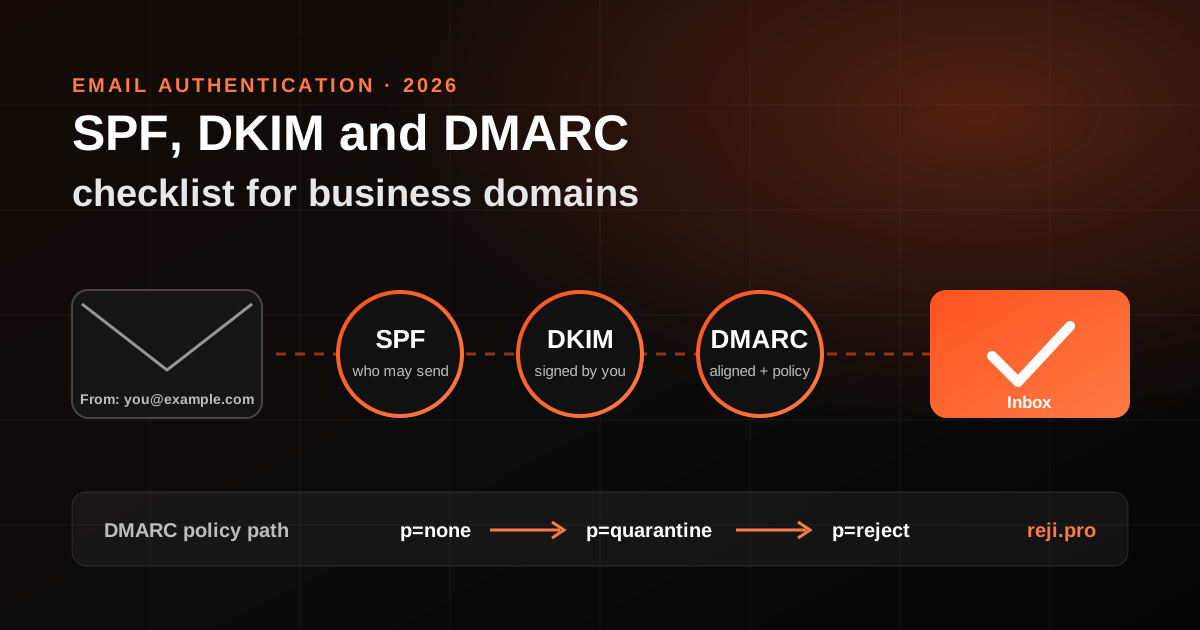
SPF, DKIM and DMARC are three records published in your DNS that let receiving mail servers check whether a message using your domain really came from a sender you approved. SPF lists the servers allowed to send for a domain. DKIM adds a cryptographic signature that the receiver verifies against a public key in your DNS. DMARC ties both to the visible From address, tells receivers what to do when a message fails, and sends you reports. A sound setup has every legitimate sender passing SPF or DKIM in alignment with your From domain, a DMARC record that collects reports, and a planned move from monitoring to quarantine or reject once those reports are clean.
Why This Became an Owner-Level Issue
Google's email sender guidelines say that, starting 1 February 2024, everyone sending to personal Gmail accounts must set up SPF or DKIM, have valid forward and reverse DNS for their sending domains or IPs, use a TLS connection, keep the spam rate reported in Postmaster Tools below 0.3% and format messages according to RFC 5322. Senders of more than 5,000 messages a day to Gmail must set up both SPF and DKIM, plus DMARC, where a policy of none is acceptable.
Yahoo publishes similar rules. Its bulk-sender requirements include SPF and DKIM, a DMARC policy of at least p=none that passes, a From domain aligned with the SPF or DKIM domain, one-click unsubscribe for marketing and subscribed mail, honouring unsubscribes within two days, and a spam rate below 0.3%.
Microsoft announced in April 2025 that Outlook.com consumer domains, which include outlook.com, hotmail.com and live.com addresses, would require SPF, DKIM and a DMARC policy of at least p=none, aligned with SPF or DKIM, for domains sending more than 5,000 emails a day. The announcement says non-compliant mail is first routed to Junk and may eventually be rejected. The post has since been updated, so check its current wording.
Most small businesses never send 5,000 messages a day, but the baseline rules apply to every sender, and the domain that fails authentication is the one your customers use to recognise genuine invoices.
What Changed in the DMARC Standard in 2026
DMARC itself has also moved on. In May 2026 the IETF published RFC 9989, which puts DMARC on the Standards Track and obsoletes the original RFC 7489 from 2015 as well as RFC 9091. Three changes matter for business owners and whoever manages their DNS:
- The pct tag, which asked receivers to apply a policy to only a percentage of failing mail, has been removed and is now listed as historic. The RFC explains that values other than 0 and 100 were not applied consistently. If an older guide tells you to roll out with pct=25, treat that advice as outdated.
- A new t tag signals test mode. With t=y, the domain owner asks receivers to apply one level below the published policy, so p=reject with t=y is handled like quarantine, and p=quarantine with t=y like none. It has no effect when the policy is already none.
- Receivers now find the organisational domain through a DNS tree walk, and the np tag, previously defined in RFC 9091, sets a policy for subdomains that do not exist.
Existing valid records keep working; what changes is the safe way to tighten them.
Step 1: List Every Service That Sends as Your Domain
Start with an inventory, not with DNS. For each service, write down the From address it uses, who connected it, whether it still needs to send, and how it authenticates today. Owner-led businesses usually find senders in these places:
- The main mailbox provider used for staff email
- The website contact form, booking form or online store notifications sent from the hosting server
- Accounting or invoicing software that emails invoices and statements
- CRM, newsletter and marketing automation tools
- Helpdesk or ticketing tools that reply to customers
- Scanners, payroll tools, monitoring alerts and old servers that still send notifications
Remove anything that should no longer send. A forgotten tool that still has permission to send as your domain is a risk, not a convenience.
Step 2: Fix SPF Within the Lookup Limit
SPF is a TXT record at the root of the domain that begins with v=spf1. Two practical rules catch most problems.
First, publish exactly one SPF record per domain. Two separate v=spf1 records do not combine; they break SPF.
Second, stay inside the lookup limit. RFC 7208 caps the include, a, mx, ptr and exists mechanisms and the redirect modifier at 10 DNS lookups in total during evaluation, and an evaluation that goes over returns a permanent error. Every vendor include can carry nested lookups of its own, so a record that looks short can still fail. The RFC also says implementations should limit void lookups, the ones that return nothing, to two.
If you are close to the limit, remove senders you no longer use, move a bulk sender to its own subdomain such as news.example.com with a separate SPF record, or rely on that vendor's aligned DKIM instead of adding another include. Tighten the ending to -all only after the inventory is complete; until then, ~all is the safer choice.
Step 3: Turn On DKIM for Each Sender, Using Your Domain
DKIM is the more durable of the two checks because the signature travels with the message, including through many forwarding paths that break SPF. For each service in your inventory, enable DKIM signing with your own domain, not only the vendor's default domain. Most providers give you one or more CNAME or TXT records to publish under a selector name.
Check two things after publishing. The message headers should show dkim=pass, and the d= value in the signature should be your domain or one of its subdomains. A pass on the vendor's own domain does not help your DMARC result.
Step 4: Publish DMARC in Monitoring Mode
Publish a TXT record at _dmarc.example.com. A sensible starting point is a policy of none with an address for aggregate reports, for example: v=DMARC1; p=none; rua=mailto:dmarc-reports@example.com
Send the reports to a mailbox or report-processing service that someone actually reads. Aggregate reports are XML files that show which servers are sending as your domain and whether each one passes SPF, DKIM and alignment. That is how you find the invoicing tool nobody remembered, or the website form sending as your company from the hosting server with no SPF or DKIM coverage.
Alignment is the part most setups miss. By default DMARC uses relaxed alignment, so a subdomain such as mail.example.com aligns with example.com. A message passes DMARC when SPF or DKIM passes and the domain that passed aligns with the visible From domain.
Step 5: Read the Reports, Then Move to Enforcement
Review the reports for long enough to cover a full billing cycle and any monthly or quarterly mailings. Sort every source into three groups: legitimate and passing, legitimate but failing, and not yours. Fix the second group. The third group is exactly what DMARC exists to stop.
When legitimate mail passes consistently, move to p=quarantine. If you want a cautious step towards the strictest policy, publish p=reject with t=y, which under RFC 9989 asks receivers to treat failing mail as quarantine while you watch the results. Once nothing legitimate is failing, remove the test flag. Consider adding np=reject, so mail that claims to come from a subdomain that does not exist in your DNS fails outright.
Step 6: Keep It Owned and Reviewed
Every new tool, agency or website rebuild can add a sender or overwrite a DNS record. Make authentication someone's job:
- Record who can edit DNS and who receives DMARC reports, and keep both with the business rather than a former supplier
- Add an email authentication check to the onboarding steps for any new tool that sends mail
- Review DMARC reports monthly and after any change of website, hosting or mail provider
- Keep a short change log of SPF includes, DKIM selectors and DMARC policy changes, with dates
If you have not yet confirmed who controls your domain and DNS in the first place, start there. The digital asset ownership audit linked from this page covers it.
Notes for Businesses Working Across the Gulf and India
Businesses working across the Gulf and India often have more senders than their size suggests: a regional office, a separate legal entity, a local accounting tool, an agency in another country. Before a new entity or market goes live, add its mail flows to the same inventory and DMARC monitoring instead of creating a separate domain setup that nobody watches.
How Reji.pro Can Help
Reji.pro works with owner-led businesses on practical digital infrastructure decisions, including domain and DNS ownership, email setup reviews and vendor changes before or after a migration. The first step is a diagnosis of what is actually sending as your domain today; any changes are scoped separately and made with whoever controls the DNS.
Sources
Google, Gmail Help, Email sender guidelines: support.google.com/mail/answer/81126
Yahoo Sender Hub, Sender Requirements and Recommendations: senders.yahooinc.com/best-practices
Microsoft Defender for Office 365 Blog, Strengthening Email Ecosystem: Outlook's New Requirements for High-Volume Senders (April 2025): techcommunity.microsoft.com
IETF, RFC 9989, Domain-Based Message Authentication, Reporting, and Conformance (DMARC), May 2026: rfc-editor.org/info/rfc9989
IETF, RFC 7208, Sender Policy Framework (SPF) for Authorizing Use of Domains in Email: rfc-editor.org/info/rfc7208
Frequently Asked Questions
Do small businesses need DMARC if they send fewer than 5,000 emails a day?
The stricter bulk-sender rules at Gmail, Yahoo and Outlook.com apply at higher volumes, but Gmail's baseline already requires SPF or DKIM for every sender. DMARC is a single DNS record, and without it receivers have no instruction from you about mail that falsely claims to come from your domain. For most businesses, publishing DMARC in monitoring mode is a low-effort first step.
Will moving DMARC to reject stop my legitimate email?
It can, if a legitimate sender is not yet passing aligned SPF or DKIM. That is why you start with p=none, read the reports, fix every failing legitimate source, and only then tighten the policy.
Is the pct tag still valid in a DMARC record?
RFC 9989 removed the pct tag and lists it as historic, so receivers following the new standard are not expected to act on it. Use the t tag for a test phase instead.
Global Malayali digital transformation consultant and mentor with 25+ years across web technology, SaaS, hosting, automation, infrastructure, and customer operations. Founder of Hostao, AutoChat, RatingE, and BestEmail.
Have one business workflow that needs to improve?
Describe the customer, operations, or team-workflow problem first. The next step may be diagnosis, mentorship, a focused implementation scope, or another specialist.